


Keep the VPS you purchase and manage through Hostinger, then use OnePloy as the application control plane above it. Hostinger provides KVM-based VPS infrastructure with root-level server control; OnePloy focuses on turning compatible server capacity into deployable application workloads such as web apps, WordPress, automation, AI agents, APIs, and databases.
OnePloy pricing starts at $4.99/month. Your Hostinger VPS plan, IP resources, backups, domains, and other Hostinger services remain separate and are billed by Hostinger.
Use OnePloy as the deployment layer for a compatible VPS you already pay for. Your infrastructure provider remains separate.
OnePloy starts at $4.99/month. Cloud-provider infrastructure, model-provider usage, domains, and third-party services are billed separately when applicable.
SIMPLE MONTHLY RATERun AI agents and automation on connected infrastructure while keeping deployment controls in OnePloy.
OnePloy starts at $4.99/month. Cloud-provider infrastructure, model-provider usage, domains, and third-party services are billed separately when applicable.
SIMPLE MONTHLY RATEDeploy stateful services on infrastructure you control and keep app-to-database deployment organized in one place.
OnePloy starts at $4.99/month. Cloud-provider infrastructure, model-provider usage, domains, and third-party services are billed separately when applicable.
SIMPLE MONTHLY RATEA VPS gives you flexibility because you control the server. That flexibility also means every application can become another set of installation commands, service files, ports, proxy rules, environment variables, certificates, storage paths, and update notes. Hostinger positions its VPS product as KVM-based infrastructure with customization and root access, and it also provides its own application catalog. OnePloy gives you another layer: a unified deployment workflow for the supported applications and services you want to run across your server fleet. You keep using Hostinger for the infrastructure account and VPS lifecycle. You use OnePloy to make the application layer more consistent across WordPress, Node.js, Next.js, automation, agents, databases, and other supported workloads.
Instead of treating every app as a fresh server-administration job, connect the VPS once and use OnePloy for the repeatable deployment workflow around application configuration, domains, environment variables, persistent services, and runtime operations.
Hostinger VPS stays under your Hostinger account
Run supported OnePloy apps on compatible VPS resources
Organize domains, environment configuration, and service operations
Upgrade Hostinger resources when the workloads need more headroom

If Hostinger is where you want to buy and operate the VPS, you do not need to move the infrastructure just to adopt a different application workflow. Connect compatible capacity and keep provider-level tasks in hPanel while OnePloy manages the deployment layer.

Use a compatible Hostinger VPS for WordPress, Next.js, Node.js, n8n, OpenClaw, Hermes Agent, PostgreSQL, Redis, Supabase, Strapi, and other supported services—while planning CPU, memory, disk, backup, and network requirements for the combined workload.
View Pricing View Pricing
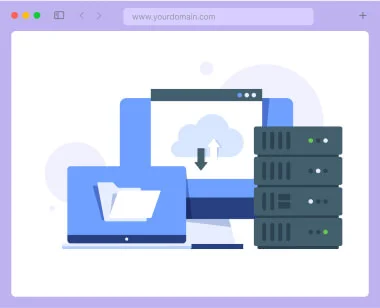
You still own and pay for the VPS. The difference is that application deployments follow a consistent OnePloy workflow rather than a growing collection of manual server procedures.
Continue using Hostinger for the VPS account, server plan, provider billing, network settings, backups, and server-level features.
Use supported OnePloy app and service workflows on the connected VPS instead of repeating manual installation steps for every workload.
A VPS gives you server-level flexibility. OnePloy helps translate that flexibility into a cleaner application layer without taking ownership away from you.
Connect custom domains to compatible applications and keep deployment-side routing and certificate workflow organized.
Manage runtime configuration separately from code so the same application can be deployed consistently across environments.
Run automation and agent-style services on always-on VPS capacity, subject to the resources and requirements of each workload.
Deploy databases and backend services with storage and backup planning matched to your Hostinger VPS plan.
When workloads outgrow the VPS, change the underlying infrastructure plan or add servers while keeping the OnePloy application workflow consistent.
Representative deployment scenarios, not customer reviews.
A small business keeps WordPress and n8n on a VPS it already pays for, while OnePloy organizes the application deployments and runtime configuration.
An agency uses compatible Hostinger VPS capacity for several application workloads but keeps the deployment process standardized in OnePloy.
Always-on VPS capacity runs agent and automation services, while the application layer is managed through the same deployment workflow as other OnePloy apps.
A Node.js API, Redis cache, and PostgreSQL database share a properly sized VPS, with OnePloy used to keep the service configuration easier to operate.
A developer uses a Hostinger VPS for experiments and internal tools but avoids maintaining a different installation process for each supported app.
apps, automation, data services, and AI workloads.

Manage the VPS plan, provider billing, hPanel settings, snapshots or backups, network configuration, and other Hostinger-level features in Hostinger.
Manage supported app deployments, environment variables, domains, persistent services, and runtime operations in OnePloy.
Choose enough VPS CPU, RAM, storage, and network capacity for the combined applications and databases you intend to run.
What to know before using a Hostinger VPS as connected infrastructure for OnePloy.
OnePloy supports a bring-your-own-server workflow for compatible VPS infrastructure. Use the connection requirements inside OnePloy to verify the operating system, architecture, access, network, and capacity of the specific Hostinger VPS you want to connect.
No. Hostinger remains the provider for your VPS account and infrastructure controls. OnePloy is focused on the application deployment layer above the server.
Hostinger markets its VPS product as KVM-based virtual private server infrastructure with full root access and extensive customization options. Exact features depend on the Hostinger plan and current product terms.
You can deploy workloads supported by OnePloy and appropriate for the resources of the server, including websites, web apps, automation, agents, databases, caches, and backend services.
No. Your Hostinger subscription, invoices, plan upgrades, and provider-level service charges stay in your Hostinger account unless OnePloy explicitly offers a separate billing integration.
Capacity depends on the combined workload. A WordPress site, a Node.js API, n8n, PostgreSQL, Redis, and an AI agent can have very different memory, CPU, storage, and concurrency requirements. Start with headroom and measure actual utilization before adding more services.
Yes. Connecting a server to OnePloy does not eliminate the need for infrastructure and application data backups. Configure appropriate provider-level backups and application/data-level backup procedures for the services you run.
Hostinger is a third-party infrastructure provider. Unless OnePloy explicitly states a formal partnership, Hostinger references are for interoperability and identification and do not imply endorsement.
Still have a deployment, compatibility, or sizing question? Contact Us Contact Us
Build a practical stack on the infrastructure you already have.
Deploy WordPress through a consistent OnePloy workflow on compatible connected infrastructure.
ExploreRun an always-on agent workload when your VPS has the resource headroom it requires.
Explore
© 2026 OnePloy. All rights reserved.