


Your DigitalOcean account and Droplet stay yours. OnePloy becomes the deployment control plane.

Connect Your DigitalOcean Droplet. Deploy Through OnePloy.

Keep the DigitalOcean infrastructure you already know and use OnePloy as the application deployment layer above it. Connect a compatible Droplet, then deploy supported web apps, APIs, automation, AI agents, databases, and services without turning routine application operations into a collection of SSH notes and manual server steps. DigitalOcean remains your infrastructure provider; OnePloy gives you a consistent workflow for what you run on the server.

  • Use an existing compatible DigitalOcean Droplet instead of moving the workload to a different cloud.
  • Deploy OnePloy apps and services while keeping DigitalOcean billing, region, networking, and server ownership separate.
Connect Infrastructure
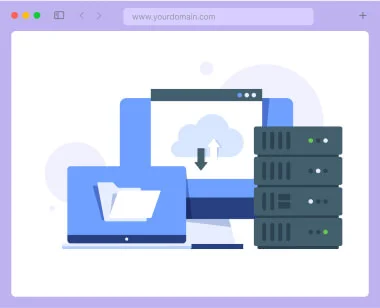
Connect DigitalOcean to OnePloy deployment architecture illustration

Add the OnePloy deployment layer from $4.99/month

OnePloy platform pricing starts at $4.99/month. Your DigitalOcean Droplet, volumes, backups, bandwidth, snapshots, and other DigitalOcean services continue to be billed by DigitalOcean.

Monthly Yearly

Server Connect

Use OnePloy as the deployment layer for a compatible VPS you already pay for. Your infrastructure provider remains separate.

$4.99 /month

$59.88 /year

OnePloy starts at $4.99/month. Cloud-provider infrastructure, model-provider usage, domains, and third-party services are billed separately when applicable.

SIMPLE MONTHLY RATE
  • Connect a compatible Linux VPS
  • Keep provider billing and account ownership
  • Deploy supported OnePloy apps
  • Custom domains and SSL workflows
  • Environment variables and secrets
  • Application logs and restart controls
  • Persistent service configuration
  • Deploy databases and backends
  • Run automation and agent workloads
  • Scale by upgrading your VPS or adding servers
More Features Less Features

AI & Automation POPULAR

Run AI agents and automation on connected infrastructure while keeping deployment controls in OnePloy.

$4.99 /month

$59.88 /year

OnePloy starts at $4.99/month. Cloud-provider infrastructure, model-provider usage, domains, and third-party services are billed separately when applicable.

SIMPLE MONTHLY RATE
  • n8n deployment workflows
  • OpenClaw and agent workloads
  • Hermes Agent-ready deployments
  • AI Gateway connectivity
  • Webhook-ready application endpoints
  • Persistent automation data
  • Secrets and environment variables
  • Custom domains
  • Logs and operational controls
  • Use the VPS resources you choose
More Features Less Features

Data & Services

Deploy stateful services on infrastructure you control and keep app-to-database deployment organized in one place.

$4.99 /month

$59.88 /year

OnePloy starts at $4.99/month. Cloud-provider infrastructure, model-provider usage, domains, and third-party services are billed separately when applicable.

SIMPLE MONTHLY RATE
  • PostgreSQL-ready deployments
  • Redis-ready deployments
  • Supabase and backend stacks
  • Strapi and API services
  • Persistent volume support
  • Private service architecture where supported
  • Environment configuration
  • Custom domains for public services
  • Logs and restart operations
  • Scale storage and compute with your provider
More Features Less Features

Use Droplets as infrastructure, not as a deployment checklist

DigitalOcean describes Droplets as Linux-based virtual machines. That makes them a flexible foundation for websites, APIs, workers, automation, databases, and custom services—but the application layer still needs to be installed, configured, exposed through a domain, secured, monitored, and kept organized as more workloads are added. OnePloy is designed to sit above that infrastructure. You choose the Droplet size, image, region, network configuration, backup policy, and account settings in DigitalOcean. After the server is connected, OnePloy provides a consistent deployment workflow for supported applications and services. This keeps infrastructure ownership with DigitalOcean while reducing the repetitive application-management work that usually grows around a general-purpose VPS.

Keep DigitalOcean flexibility and add a simpler app deployment workflow

Use DigitalOcean for the VM and infrastructure controls you want. Use OnePloy for the application lifecycle you repeat: deploying services, connecting domains, configuring environments, organizing persistent workloads, and running the apps your team actually uses.

  • Keep your existing DigitalOcean account and Droplet

  • Deploy supported apps, agents, automation, and databases

  • Use domains, SSL workflows, environment variables, and logs

  • Scale by resizing the Droplet or connecting additional servers

A cleaner path from a fresh Droplet to running software

DigitalOcean lets you select Linux images, server sizes, regions, networking, SSH authentication, backups, and other infrastructure options. OnePloy focuses on what happens after the server exists: turning that compute into a repeatable application environment.

Run more than one workload without creating more operational clutter

Use the same connected Droplet for compatible workloads such as WordPress, Next.js, Node.js, n8n, OpenClaw, PostgreSQL, Redis, Strapi, and other OnePloy applications—subject to the CPU, memory, storage, network, and security requirements of the services you choose.

View Pricing View Pricing
What OnePloy adds above a DigitalOcean Droplet

DigitalOcean remains responsible for the underlying cloud VM. OnePloy provides a higher-level application deployment and operations workflow for supported workloads.

Your Droplet Stays in DigitalOcean

Keep infrastructure ownership, billing, region selection, account security, and provider-level controls in your DigitalOcean account.

OnePloy App Deployment

Use the OnePloy application catalog and deployment workflow instead of manually reproducing installation steps for every service.

Domains & HTTPS Workflow

Connect application domains and manage the deployment-side HTTPS workflow without treating DNS and reverse-proxy setup as a new project each time.

Environment & Secrets

Keep application environment variables and runtime configuration organized outside the codebase and easier to change per deployment.

Logs & Restart Controls

Use a consistent operational view for supported workloads instead of remembering a different process for every service installed on the VPS.

Stateful Service Support

Run compatible databases and persistent applications with storage requirements planned around the capacity of the Droplet and attached storage.

AI & Automation Ready

Deploy n8n, agent workloads, and applications that use OnePloy AI Gateway on the same infrastructure pattern.

Scale on Your Terms

Resize or replace the underlying DigitalOcean infrastructure as workloads grow, then keep the deployment layer consistent in OnePloy.

Common DigitalOcean + OnePloy deployment patterns

These are representative use cases, not customer endorsements or verified reviews.

List

A small product runs its Next.js frontend, Node.js API, PostgreSQL database, and Redis service on a connected Droplet while OnePloy keeps the application deployments organized.

SaaS application

Deployment pattern
List

A team keeps DigitalOcean as the VPS provider and uses OnePloy to run n8n, webhook endpoints, supporting databases, and AI-connected workflows.

Automation server

Deployment pattern
List

An agency standardizes the application layer across several client Droplets so WordPress and Node.js deployments follow the same operational workflow.

Agency server

Deployment pattern
List

A compatible Droplet provides always-on compute while OnePloy handles deployment of agent services and the surrounding application stack.

AI agent host

Deployment pattern
List

A developer uses DigitalOcean for compute and networking while OnePloy groups the API, database, cache, domains, and deployment settings together.

Backend stack

Deployment pattern

apps, automation, data services, and AI workloads.

List

Know which layer to manage where

Infrastructure Layer

Use DigitalOcean for Droplet creation, region, VM sizing, provider networking, account billing, snapshots, backups, and other provider-level services.

Application Layer

Use OnePloy for supported application deployments, environment configuration, domains, runtime operations, and connected services.

Product Layer

You remain responsible for application code, data, application-level security, third-party API usage, and workload-specific scaling decisions.

Contact Support Contact Support

DigitalOcean connection FAQs

Practical questions about using a DigitalOcean Droplet as infrastructure for OnePloy deployments.

DigitalOcean defines a Droplet as a Linux-based virtual machine running on virtualized hardware. You choose an image, plan, region, authentication method, and other infrastructure options in your DigitalOcean account.

No. DigitalOcean remains the infrastructure provider. Your Droplet, cloud account, provider billing, snapshots, backups, networking, and other DigitalOcean services stay under your DigitalOcean account.

The bring-your-own-server workflow is designed for compatible existing Linux VPS infrastructure. The server must meet the OnePloy connection and workload requirements shown in the OnePloy app when you add a server.

You can deploy workloads supported by OnePloy and appropriate for the server resources you provide, including web applications, automation, agents, databases, and backend services.

Yes. OnePloy does not change the CPU, RAM, storage, or network capacity of the underlying Droplet. Choose a DigitalOcean plan with enough headroom for the workloads and expected concurrency you intend to run.

Provider-level backups and snapshots remain DigitalOcean features that you configure and pay for in DigitalOcean. Application-level backup requirements should also be planned based on the data services you deploy.

Private-only infrastructure can require additional networking such as a bastion or other reachable path. Use the connection requirements in the OnePloy app to verify whether your specific network design is supported before relying on a private-only server.

DigitalOcean is a third-party infrastructure provider. Unless OnePloy explicitly states a formal partnership, references to DigitalOcean are for interoperability and identification and do not imply endorsement.

Still have a deployment, compatibility, or sizing question? Contact Us Contact Us

Deploy useful workloads on your connected Droplet

Start with the application layer you need and keep the server underneath it in your DigitalOcean account.

n8n Hosting

Run persistent automation, webhooks, and AI-enabled workflows on connected compute.

Explore
List

PostgreSQL Hosting

Deploy a PostgreSQL service when your server has the memory, storage, and backup strategy it needs.

Explore
List
DigitalOcean infrastructure, OnePloy deployment workflow, your applications
DigitalOcean
Hostinger
Vultr
WordPress
Next.js
n8n
PostgreSQL

Deploy WordPress, Next.js, n8n, OpenClaw, Supabase, databases, and 350+ apps from one control plane. OnePloy simplifies domains, SSL, logs, and day-to-day operations.

© 2026 OnePloy. All rights reserved.