

Public source starterNext.jsAI
Next.js starter on OnePloy
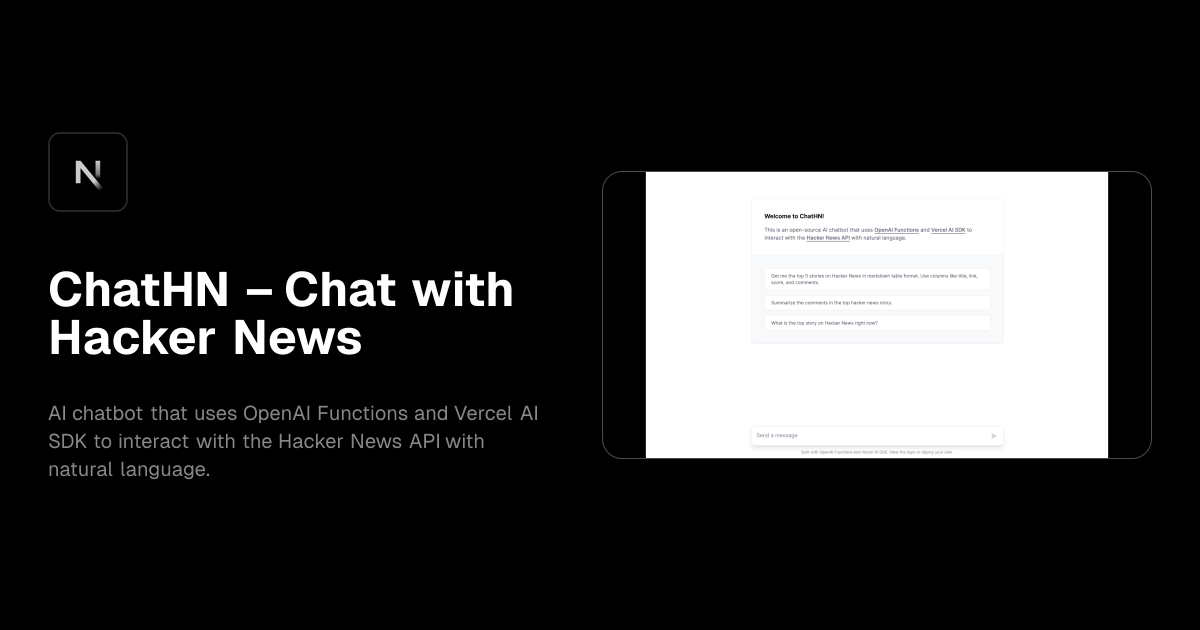
ChatHN – Chat with Hacker News
AI chatbot that uses OpenAI Functions and Vercel AI SDK to interact with the Hacker News API with natural language.
FrameworkNext.jsUse caseAIDiscovered fromVercel
SOURCE REPOSITORYsteven-tey/chathnOpen repository ↗
ORIGINAL LISTINGVercelView source page ↗
LAST REFRESHEDSep 6, 2026Metadata and artwork are refreshed by the bridge.
Starter foundation
Know what you are inheriting before you customize it
Treat the starter as a codebase, not a screenshot. Review the repository, dependencies, licence and runtime requirements before making it part of a production product.
Next.js
Review how Next.js is implemented in the public source, then adapt it to your own product requirements.
Implementation blueprint
Turn ChatHN – Chat with Hacker News into a codebase your team owns
A clean ownership transition makes future releases easier. Move from upstream starter to your repository, your configuration and your operating standards.
Repository ownership
Fork or clone the public source into a repository your team controls; record the upstream origin and licence.
Design system & content
Replace brand tokens, navigation, images and demo copy at shared component layers before editing page-by-page.
Environment model
Map variables, API keys, auth callbacks and third-party services into development, preview and production values.
Data & integrations
Verify migrations, storage, webhooks, transactional services and any state that must survive a deployment.
Build pipeline
Run the install and build from a clean checkout, then make any custom framework commands explicit in the OnePloy project.
Production cutover
Validate the deployment on its temporary URL before connecting production DNS, HTTPS and external callbacks.
AI chatbot that uses OpenAI Functions and Vercel AI SDK to interact with the Hacker News API with natural language.
Use ChatHN – Chat with Hacker News as a serious starting point, not a disposable demo
ChatHN – Chat with Hacker News is a Next.js starter discovered from Vercel and linked to a public source repository so you can inspect the code before you deploy it. AI chatbot that uses OpenAI Functions and Vercel AI SDK to interact with the Hacker News API with natural language. A starter is most valuable when it shortens repetitive setup without taking ownership away from your team. OnePloy therefore treats this listing as a launch path: review the real preview and repository, bring the code into a workflow you control, configure the project for your environment and deploy your version. The upstream project remains the source of truth for implementation details and licence terms. Your OnePloy project becomes the operational home for builds, environment values, domains and releases after you adapt the template to your product.
Evaluate the source before you build on it
Open the public repository for ChatHN – Chat with Hacker News before making architectural assumptions from the screenshot. Check how recently it has been maintained, which package manager and framework version it uses, whether a licence file is present, what services are required and whether the example is intended for production or demonstration. Read the README and inspect configuration files rather than relying only on the marketing description. If the project includes third-party integrations, confirm which accounts, API keys or paid services are optional. The current listing detected technologies or features such as Next.js; that is useful for discovery but not a substitute for reviewing the repository. A ten-minute source audit can prevent hours of rework after design and content have already been built on top of the wrong foundation.
Own the repository and your change history
For a real product, work from a repository that your team controls. Fork or clone ChatHN – Chat with Hacker News according to the upstream licence, then set your own branch strategy, access permissions and review process. Remove demo content you do not need, update dependency lockfiles deliberately and commit the first clean baseline before major customization. That baseline gives you a clear comparison point when the starter evolves or when a package upgrade changes behaviour. Avoid editing production files directly on a server because it makes releases difficult to reproduce. Connecting your controlled repository to OnePloy keeps deployment tied to versioned code, which means a release can be explained by a commit instead of by an undocumented sequence of server-side edits.
Next.js architecture and build configuration
Confirm how this Next.js project builds before adding product work. Identify the install command, build command, output mode, runtime command and the Node.js or platform version expected by the repository. Look for monorepo workspaces, generated code, database migrations or build-time environment values that could affect a clean deployment. Run the project from a fresh checkout when possible so local caches do not hide missing dependencies. If the starter uses framework defaults, keep them unless you have a concrete reason to change them; unnecessary build customization creates maintenance cost. In OnePloy, configure only what the repository actually requires, then use the first successful deployment as the baseline for later changes.
Environment configuration and third-party services
Templates often include integrations that look complete in a preview but still require your own credentials. Review example environment files in ChatHN – Chat with Hacker News and separate values into development, staging and production sets. Use production-specific keys for authentication providers, databases, payment systems, email services, analytics and storage. Never commit live secrets just because an example file contains placeholders. Confirm allowed callback URLs and webhook endpoints after the final domain is known. If an integration is not part of your product, remove it cleanly instead of leaving unused credentials and dependencies in the project. Keeping configuration explicit makes the OnePloy deployment easier to reproduce and reduces the risk that a starter’s demo assumptions silently become production dependencies.
Data model, migrations and persistent services
If ChatHN – Chat with Hacker News includes a database, CMS, object storage, cache or queue, map those dependencies before launching. Determine whether the repository creates schema automatically or expects a migration command, how seed data is handled and which data is safe to reset. Production data should live outside disposable application builds. When changing schema, use a migration process that can be reviewed and backed up rather than editing tables manually. If the template contains sample credentials or public demo data, replace them. For applications that upload files, decide whether the filesystem can be ephemeral or whether you need persistent or external object storage. These choices influence reliability much more than the visual layer of the starter and should be settled before traffic reaches the project.
Customize branding without fighting the starter
A good Next.js starter should accelerate design work, not trap the product inside someone else’s identity. Start by locating global typography, colour tokens, layout primitives, icons, navigation and metadata. Replace the brand system at those shared layers before editing dozens of individual components. Then update page content, imagery and calls to action to match the actual customer journey. Remove unused demo routes and placeholder sections so they do not get indexed accidentally. Keep reusable components reusable: if the template already has a strong button, card or form abstraction, adapt it centrally rather than creating visually similar duplicates. This approach produces a more coherent product and leaves the codebase easier to maintain after the first launch.
SEO, accessibility and content quality
The preview for ChatHN – Chat with Hacker News may demonstrate visual quality, but production readiness also depends on the document structure and content you ship. Give each indexable page a specific title and meta description, use one clear primary heading, add meaningful alt text for informative images and make link text understandable outside its surrounding paragraph. Check keyboard navigation, focus visibility, form labels and colour contrast after applying your brand. Remove template lorem ipsum and duplicated metadata before search engines discover the site. For content-heavy AI projects, design internal links and canonical URLs intentionally. Framework features can help with metadata and rendering, but they do not automatically make placeholder content useful, accessible or search-worthy.
Performance and production asset handling
Measure the customized version of ChatHN – Chat with Hacker News rather than assuming the starter’s demo performance will carry over. Large hero images, web fonts, analytics scripts, embedded widgets and client-side libraries can change the page profile quickly. Use appropriately sized images, lazy-load content that begins below the fold and avoid shipping JavaScript for components that do not need browser interactivity. Review bundle output when the Next.js build exposes it. Cache static assets sensibly and make sure external API calls do not block initial rendering unnecessarily. Performance work should follow evidence from the real product pages, but keeping the starter lean from the beginning prevents obvious regressions from becoming part of the architecture.
Preview, staging and release workflow
Use a staging or preview path for changes that could affect customers. With ChatHN – Chat with Hacker News under your own repository, each meaningful release should move through a predictable sequence: code review, clean build, environment validation, deployment, application check and then production domain verification. When a feature introduces a new environment variable or migration, make that part of the release checklist instead of relying on the operator to remember it. Keep production deployments small enough to diagnose quickly. If a release fails, compare it with the last healthy deployment before changing multiple things at once. OnePloy gives the project a consistent deployment destination; your release discipline determines how safely the starter grows into a long-lived product.
Security and dependency maintenance
A public starter repository can contain excellent patterns and still require a security review before production use. For ChatHN – Chat with Hacker News, update default credentials, remove exposed demo endpoints, verify authentication and authorization rules, review dependency advisories and confirm that server-only secrets never reach client-side bundles. Limit API keys to the permissions the application needs. If the template was published some time ago, check whether major dependencies or framework versions are still supported before investing heavily in customization. Keep dependency updates incremental and test them through the same deployment path used for application changes. The fact that a template deploys successfully is not proof that every upstream default is appropriate for your threat model or customer data.
Domains, analytics and external callbacks
After the first healthy OnePloy deployment of ChatHN – Chat with Hacker News, connect the production domain and revisit every service that depends on an absolute URL. Authentication providers, payment gateways, webhooks, transactional email links, analytics properties, cookie settings and CMS preview URLs can all depend on the final hostname. Configure HTTPS-only production URLs and verify redirects from any alternate hostname. Keep staging callbacks separate so tests do not write into production systems. Add analytics and monitoring deliberately rather than copying identifiers from the template’s demo. This final integration pass turns a repository that works in isolation into a product that behaves correctly across the external systems your business relies on.
Production checklist before launch
Before shipping the customized ChatHN – Chat with Hacker News project, verify the public repository licence is compatible with your intended use; the code lives in a repository you control; build and runtime commands work from a clean checkout; production environment values are complete; demo credentials and sample content are gone; persistent data has a backup and migration plan; the production domain and HTTPS are correct; external callbacks use that domain; core pages have real metadata and accessible content; and a representative customer journey works after deployment. Review logs once that journey is complete. Record the deployed commit and any manual operational step required for the next release. That gives your team a maintainable OnePloy project rather than a visually impressive template that only works on launch day.
Production quality gates
Do not promote the starter until these checks are green
A deployable template is only a starting state. Validate the customized product against build, accessibility, SEO, performance, security and observability requirements.
GateProduction checkExpected outcome
BuildClean install and build from the production branchRepeatable
AccessibilityKeyboard flow, labels, focus states and contrast reviewedUsable
SEOUnique metadata, canonical URLs, headings and indexation rulesIndex-ready
PerformanceProduction images, fonts, scripts and bundles measuredMeasured
SecuritySecrets, demo endpoints, auth rules and dependencies reviewedHardened
ObservabilityLogs and a representative production health path verifiedOperable
Deployment workflow
From public starter to your production release
The source stays yours. OnePloy becomes the deployment destination for the repository and branch you control.
Inspect source
Review README, licence, dependencies and the real project structure.
Own repository
Create the repository and baseline commit your team will maintain.
Customize
Replace demo branding, content, routes and integrations.
Connect OnePloy
Select the branch and verify framework, build and runtime settings.
Validate preview
Test the production-like deployment before DNS is changed.
Promote
Connect the domain and operate later releases on the same path.
FAQ
Using this starter with OnePloy
Source code, upstream licence and implementation details remain governed by the original repository.
Is ChatHN – Chat with Hacker News a real source project?
Yes. OnePloy only publishes synced starter pages when a public source repository is available. Use the repository link on this page to review the code before deployment.
Can I customise the Next.js starter?
Yes. Use the public repository as your starting point, then change the design, content, code and integrations in your own repository.
Does deploying change the original template?
No. Your deployment uses the repository you connect to OnePloy; it does not modify the source listing or the original publisher’s project.
Do I need to check the template licence?
Yes. Review the licence and upstream documentation in the source repository before using a starter in a commercial or redistributed project.
Use the source, own the result
Deploy starterDeploy your version of ChatHN – Chat with Hacker News on OnePloy
Review the repository, make the code yours and continue into a controlled OnePloy deployment workflow.